RFQ Analyzer
Paste an RFQ email or drop a spec sheet. Get back a structured quote draft with the parts, quantities, materials, dates and tolerances laid out as an estimating worksheet.
In short
The RFQ Analyzer is a free tool from KanchanFlow, an RFQ-to-Order CRM, that reads an RFQ email or spec sheet and extracts parts, materials, quantities, dates, target price and stated tolerances into a structured quote-draft PDF. It is best-effort extraction, not a quote — no price is calculated.
Run one now
Paste the email, attach the file, or both. A work email is required to download the output.
How it works
- 1
Paste the RFQ, or drop the file
Copy the whole RFQ email into the box — headers, body, signature and all — or attach the PDF, spec sheet or scanned drawing cover page. Leave the noise in; the extractor uses the surrounding text to work out what a number means.
- 2
Choose what you are quoting
Pick the closest process — machining, fabrication, casting, moulding, assembly. This sets which fields the analyzer looks for, so a fabrication RFQ is read for plate thickness and weld callouts rather than for turned-part tolerances.
- 3
Run the extraction
The analyzer reads the document and pulls out line items with part numbers and descriptions, quantities and quantity breaks, materials and specifications, target and required dates, any target or should-cost price, and any tolerances stated in plain text.
- 4
Check the fields it was unsure about
Anything with low confidence is flagged rather than guessed silently. Correct those fields on screen — usually a quantity split across two lines, or a material grade written in shorthand.
- 5
Enter a work email and download the quote draft
A work email is required to generate the file. You get a structured quote-draft PDF: the extracted line items laid out as an estimating worksheet with empty cost columns, ready to price by hand or paste into whatever you quote in today.
Extraction
What it pulls out
Everything below is extracted verbatim from what the document says. Nothing is inferred, filled in from a catalogue, or improved.
| Field | What it captures |
|---|---|
| Line items | Part number, revision if stated, description, per-line notes |
| Quantities | Ordered quantity plus any quantity breaks written as 10/50/250 or in a table |
| Materials | Grade, spec and standard where named — 304 stainless, 6061-T6, A36, PA66-GF30 |
| Dates | Quote-by date, required-by date and any stated lead-time expectation |
| Target price | Any should-cost, budget or target figure the buyer put in writing |
| Tolerances | Tolerances stated as text — ±0.005 in, H7, Ra 1.6 — exactly as written |
| Finish and treatment | Plating, anodising, painting, heat treatment and passivation callouts |
| Commercial terms | Incoterms, payment terms and packaging notes when the RFQ names them |
Limits
What this tool does not do
Be clear about this
- It is not a quote — no price is calculated and the cost columns come back empty, because your rates are yours
- It does not interpret GD&T — feature control frames, datum schemes and drawing geometry are outside what text extraction can honestly claim
- Extraction is best-effort — low-confidence fields are flagged for you to correct, not silently guessed
- It does not check feasibility — it will not tell you whether your shop can hold the tolerance or hit the date
- It does not price material — no mill pricing, no commodity index, no should-cost model
What happens to your data
- Files are processed to produce your output and then deleted
- Nothing you upload is used to train any model, ours or anyone else's
- Your documents are never shared with another user or sold as a dataset
- Processing happens in USA data centers on AWS US-East and US-West
- The email you enter is used to deliver the file, and for product notes only if you tick the box
Honest framing
If nobody uses this, we will retire it
This tool exists for two reasons. The first is that reading a badly formatted RFQ is genuinely tedious and a machine is good at it. The second is that it is a lead magnet, and we would rather write that down than pretend otherwise.
We hold every free tool to the same test we hold features to: is it used, and does it do what the page says. If this one is not useful to you, tell us — write to [email protected] with an RFQ it handled badly. We would rather fix it or take it down than leave a half-working utility sitting on the site collecting search traffic it does not deserve.
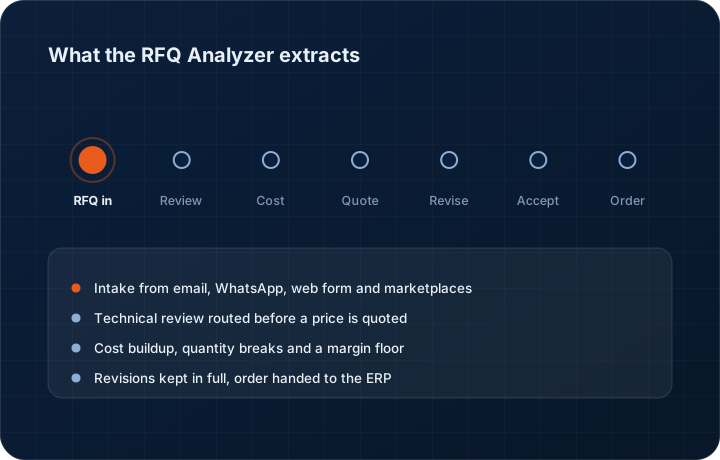
The same extraction runs inside the CRM as the RFQ Agent, where it does the useful second half of the job: writing the result onto a real RFQ record that routes to an estimator, gets a cost buildup, becomes a quote and keeps its revisions.
- Cost
- Free
- Work email required to download the output.
- Account
- Not required
- No trial signup, no credit card.
- Output
- Quote-draft PDF
- Line items laid out as an estimating worksheet.
- Retention
- Deleted after processing
- Never used for model training.
RFQ Analyzer questions
No, and this matters. It is a quote draft — a structured worksheet of what the RFQ asked for, with the cost columns empty. There is no price in it, because we do not know your material cost, your machine rates, your scrap allowance or your margin floor. Pricing is your job; reading the document is ours.
Next
RFQ management software
What happens after extraction: routing, review and quoting.
Read moreProduct tour
The nine stages from RFQ intake to reorder.
Read moreAI credits explained
What the same extraction costs inside the CRM.
Read moreSee a live quote draft
We build the quote from your RFQ on a 30-minute call.
Read morePricing
Three tiers, 3-user minimum, 14-day trial without a card.
Read moreTrust Center
Where files are processed and what is never retained.
Read moreSee a live quote draft built from a real RFQ
Fourteen days, no credit card, sample data pre-loaded. If it does not fit your shop, we will tell you in the first call.
- Delaware LLC
- SOC 2 Type II
- USA Data Centers (AWS)