Multi-item RFQ header
A buyer sending sixty part numbers in one email should produce one enquiry, not sixty. The header-and-lines structure for that is specified and scheduled, and not yet started.
Development progress
0%
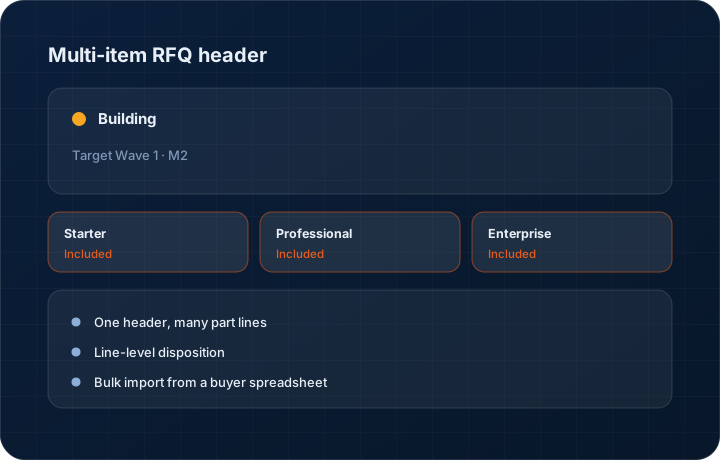
Target Wave 1 · M2. Progress figures move when the work does, and the changelog records the release.
In short
The multi-item RFQ header gives the KanchanFlow RFQ-to-Order CRM one enquiry record carrying many requested parts, each with its own quantity, drawing revision and required date. It is at 0 percent — specified and scheduled for Wave 1 Milestone 2, with no development work done yet. We would rather say that than imply it is underway.
What it is
Large buyers do not send one part at a time. A tier-one supplier consolidating a programme will send a spreadsheet with sixty line items, mixed materials and staggered required dates, and expect one response. Handling that as sixty separate enquiries makes the response slow and the follow-up impossible to manage.
The header-and-lines structure treats the enquiry as one record with many part lines underneath it. Each line has its own quantity, drawing, revision and required date, and can be quoted, declined or deferred independently, while the header carries the buyer, the programme and the overall response deadline. The buyer gets one coherent answer rather than sixty separate replies.
Capabilities
What it does
One header, many part lines
The enquiry is a single record. Each requested part is a line with its own quantity, material, drawing reference and required date.
Line-level disposition
Quote forty lines, decline twelve on capacity and defer eight pending a drawing. The buyer gets one coherent response instead of silence on the parts you cannot do.
Bulk import from a buyer spreadsheet
Buyers send Excel. Importing their file into RFQ lines removes the retyping step where most of the errors and most of the delay come from.
Quantity breaks per line
Buyers frequently ask for pricing at several volumes on each part. Those breaks belong on the line, not as separate enquiries.
Programme-level grouping
The header can carry the customer's programme or project reference, so related enquiries over a year can be seen together.
Staggered required dates per line
Large buyers rarely want everything at once. Each line carries its own required date, so a schedule spread across nine months is captured on the enquiry rather than negotiated again after the quote goes out.
Step by step
How it works
The order these steps happen in matters more than the feature list above it.
- 1
Create the RFQ header
Buyer, contact, programme reference, source and the overall required response date go on the header.
- 2
Import or enter the lines
Import the buyer's spreadsheet or enter parts manually. Each line carries part number, description, quantity, material and required date.
- 3
Attach drawings per line
Prints attach to the specific line they describe, with the revision letter recorded, so pricing is tied to a known revision.
- 4
Set line dispositions
Mark each line to quote, decline or defer. The header shows the split so nobody sends a partial answer by accident.
- 5
Raise the quote
Quotable lines carry into a quote in one action, keeping their quantities, drawings and dates.
What this is not
This is not a bill of materials — the lines are separately requested parts, not an assembly structure with parent-child relationships.
This is not an ERP, MRP, CAD, BOM, or advanced CPQ system — it manages customer RFQs, quotes, follow-ups, and order handoff.
Tier availability
What you get on each plan
These rows come from the same feature matrix the pricing page publishes. If the two ever disagree, the matrix is wrong and we fix it.
| Plan | Availability |
|---|---|
| Starter | Unlimited RFQ line items, never capped. |
| Professional | Unlimited line items, plus quantity breaks and alternate variants at quoting. |
| Enterprise | Unlimited line items, plus custom fields on the header and lines. |
Starter is $39 per user per month, Professional $49, Enterprise $99 plus a $2,000 monthly platform fee. Annual billing is 17% lower. See the full matrix.
Interface
What it looks like
Specification mock of an RFQ header with 60 part lines, showing per-line disposition and required dates.
Design specification mock, not a build capture. No development work has started on this feature.
Specification mock of the buyer spreadsheet import mapping step.
Design specification mock. Field mapping is not final.
Screenshots are described rather than mocked up. Captures are taken from the build current at the date shown in the changelog, on a sample workspace.
Questions about multi-item rfq header
None of it. It is at 0 percent — specified and scheduled for Wave 1 Milestone 2. Nothing on this page is available today, and we would rather be plain about it.
Related features
RFQ management
RFQ as a first-class object
Read moreManufacturing CPQ
Manufacturing CPQ Lite — cost buildup, quantity breaks and margin floors
Read moreQuote editor
Quote editor with attachments, share links, FX and revisions
Read moreWhat's shipping today
All 47 features grouped by status on one page, with the newest releases alongside.
Read moreSee a live quote draft built from a real RFQ
Fourteen days, no credit card, sample data pre-loaded. If it does not fit your shop, we will tell you in the first call.
- Delaware LLC
- SOC 2 Type II
- USA Data Centers (AWS)