Quote editor with attachments, share links, FX and revisions
The screen your estimator lives in. Line items, drawings, terms, a share link the buyer opens without a login, and a revision trail that never gets trimmed.
In short
The KanchanFlow quote editor is the quoting surface of our RFQ-to-Order CRM. It builds a line-item quote from an RFQ, attaches drawings and certificates, converts currency at a rate you lock onto the quote, and keeps every revision — Rev 0 through Rev 12 — permanently, on every tier including Starter.
What it is
Most shops quote out of a spreadsheet that gets copied, renamed and emailed until nobody knows which file the customer actually holds. The quote editor replaces that with one record per quote and one revision chain underneath it. Each line carries a part number, description, quantity, unit price, lead time and the drawing it was priced from.
When you send it, the buyer gets a share link rather than a 6 MB attachment that bounces off their mail server. The link renders the quote in a browser, shows the attachments, records when it was opened, and stays valid until the quote expires. Nothing about that flow is gated: Starter shops get the same editor as Enterprise.
Capabilities
What it does
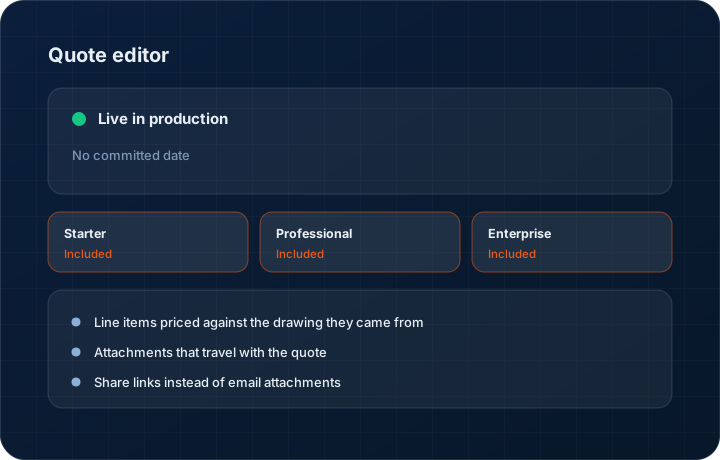
Line items priced against the drawing they came from
Every line can be tied to a specific drawing file and revision letter. When the customer sends Rev C of a print, the line shows which revision it was priced against, so a re-quote is a five-minute check rather than an argument.
Attachments that travel with the quote
Drawings, material certs, prior inspection reports and your standard terms attach to the quote itself. They appear in the share link and in the PDF, and they stay attached to every later revision unless you remove them.
Share links instead of email attachments
A quote sends as a browser link. The buyer opens it without an account, forwards it internally, and you see the open timestamp. No file-size bounce, no 'can you resend it, our filter ate it'.
Locked FX on multi-currency quotes
Quote a Canadian or Mexican customer in their currency and the rate is captured on the quote at the moment you price it. The rate does not silently drift between quote and order — you decide when to re-rate.
Unlimited revision history
Rev 0 through however far the job runs. We never trim revision history on any tier. The record of what you agreed to is the record — charging for it, or expiring it after ninety days, would be the wrong kind of gate.
Quote expiry and validity terms
Set validity in days on the quote. Expired quotes stop accepting acceptance through the share link and show as expired in the pipeline, so nobody books an order against material pricing from March.
Step by step
How it works
The order these steps happen in matters more than the feature list above it.
- 1
Start from an RFQ or from scratch
Open an RFQ and press quote, or start blank for a phone enquiry. Customer, contact, delivery address and any drawings already on the RFQ carry across without retyping.
- 2
Build the lines
Add a line per part. Enter quantity, unit price, lead time and any process notes. Duplicate a line to price an alternate quantity break, or pull a line from a previous quote to the same customer.
- 3
Attach the evidence
Drop in the drawing PDF or STEP file, the material cert you will supply, and your standard terms. These become part of the quote record and appear in the buyer's share link.
- 4
Set currency, validity and terms
Choose the quote currency and lock the FX rate. Set validity in days, payment terms and any freight assumption. Everything you assumed is written on the quote, not in your head.
- 5
Send the share link
Send by email from inside the record or paste the link into WhatsApp. The buyer opens it in a browser. You get an open timestamp and can see how many times it was viewed.
- 6
Revise without losing the trail
Press revise. Rev 1 opens as a copy, you change what changed, and Rev 0 is preserved intact with its own share link and its own send history.
What this is not
This is not a CPQ configurator — it prices the lines you enter, it does not generate a valid product configuration from a rules engine.
This is not an ERP, MRP, CAD, BOM, or advanced CPQ system — it manages customer RFQs, quotes, follow-ups, and order handoff.
Tier availability
What you get on each plan
These rows come from the same feature matrix the pricing page publishes. If the two ever disagree, the matrix is wrong and we fix it.
| Plan | Availability |
|---|---|
| Starter | Included. Basic visual diff between revisions, unlimited revisions, unlimited line items. |
| Professional | Included. Full diff view with change alerts on price, quantity and lead time. |
| Enterprise | Included. Full diff plus custom fields on the quote header and line. |
Starter is $39 per user per month, Professional $49, Enterprise $99 plus a $2,000 monthly platform fee. Annual billing is 17% lower. See the full matrix.
Interface
What it looks like
Quote editor with six line items, a drawing attached to line 3, and the revision selector open on Rev 2.
Interface capture from the production quote editor. Part numbers and customer names are sample data.
Buyer-facing share link as it renders in a browser, with the attachment list and the accept button.
Interface capture of the public share view. No login is required to open this page.
Screenshots are described rather than mocked up. Captures are taken from the build current at the date shown in the changelog, on a sample workspace.
Connectors
Integrations this feature uses
Starter includes one accounting connector and one lead source; Professional and Enterprise include all of them. Browse every integration.
Questions about quote editor
Yes. The share link carries an accept action, and on quotes routed through Aadhaar eSign the acceptance is captured as a legally valid signature. Otherwise it records the accepting contact, timestamp and IP against the quote.
Related features
Quote revision diff
Quote revision side-by-side diff
Read moreManufacturing CPQ
Manufacturing CPQ Lite — cost buildup, quantity breaks and margin floors
Read moreAadhaar eSign
Legally valid quote acceptance via Aadhaar eSign
Read moreWhat's shipping today
All 47 features grouped by status on one page, with the newest releases alongside.
Read moreSee a live quote draft built from a real RFQ
Fourteen days, no credit card, sample data pre-loaded. If it does not fit your shop, we will tell you in the first call.
- Delaware LLC
- SOC 2 Type II
- USA Data Centers (AWS)