Technical pre-sales routing to engineering, costing and production
The enquiry that needs the toolroom's opinion before it can be priced. Route it, put a date on it, and see it come back — instead of chasing it in a corridor.
Development progress
20%
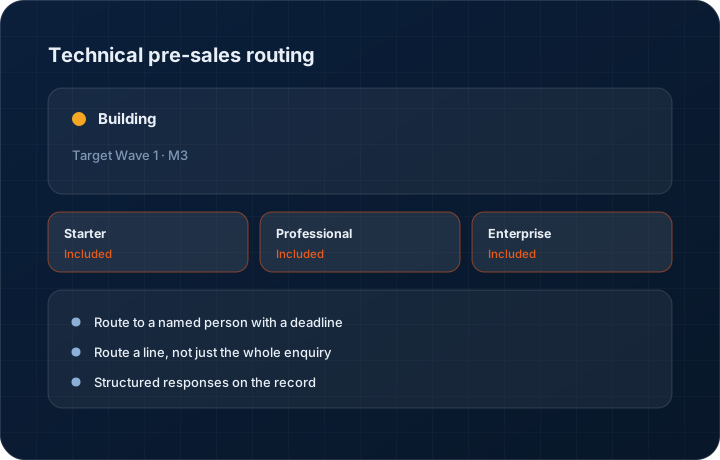
Target Wave 1 · M3. Progress figures move when the work does, and the changelog records the release.
In short
Technical pre-sales routing sends a KanchanFlow RFQ to engineering, costing or production for input before it can be quoted, with a named owner and a deadline on each request. It is roughly 20 percent complete and targeted at Wave 1 Milestone 3, and it is the reason most complex quotes take three weeks instead of three days.
What it is
The slowest quotes in a job shop are not the ones nobody worked on. They are the ones waiting on someone else — the toolmaker who has to say whether the fixture exists, the process engineer who has to confirm the tolerance is achievable, the buyer who has to price an unusual material. That waiting happens in corridors and unanswered emails.
The work in progress makes those requests explicit. An estimator routes the RFQ, or a line on it, to a named person with a question and a date. That person sees it on their home screen, answers it against the record, and the estimator sees the response land. The elapsed time on each request is measured, so bottlenecks stop being anecdotes.
Capabilities
What it does
Route to a named person with a deadline
Not a shared inbox or a shrug. The request goes to a person, with a question and a required-by date, and appears on their home screen until it is answered.
Route a line, not just the whole enquiry
On a multi-part RFQ only two lines may need engineering input. Routing at line level means the other fifty-eight can be quoted while those two are reviewed.
Structured responses on the record
The answer — feasible, feasible with a change, not feasible, plus estimated cost or tooling requirement — is written on the RFQ where the estimator will read it.
Elapsed-time measurement
Time spent waiting on engineering, costing and production is measured separately from time spent estimating, which is the only way to know where the three weeks went.
Approval routing tie-in
Where the technical answer changes the price beyond a threshold, the quote picks up the approval rules rather than going out on the estimator's judgement alone.
Step by step
How it works
The order these steps happen in matters more than the feature list above it.
- 1
Estimator flags what they cannot answer
While working an RFQ, the estimator marks the lines or questions needing engineering, costing or production input.
- 2
Route with a question and a date
Each request goes to a named reviewer with a specific question and a required-by date, rather than a forwarded email saying 'thoughts?'.
- 3
Reviewer answers on the record
The request appears on the reviewer's home screen. They answer with a structured verdict and any cost or tooling implication.
- 4
Estimator prices with the answer
The response is attached to the RFQ line, so the quote is priced against a recorded technical position rather than a remembered conversation.
- 5
Measure the wait
Turnaround per reviewer and per request type is reported, so the shop can see which review step is the actual constraint.
What this is not
This is not engineering design software — we route the question and record the answer, we do not model, simulate or validate the part.
This is not an ERP, MRP, CAD, BOM, or advanced CPQ system — it manages customer RFQs, quotes, follow-ups, and order handoff.
Tier availability
What you get on each plan
These rows come from the same feature matrix the pricing page publishes. If the two ever disagree, the matrix is wrong and we fix it.
| Plan | Availability |
|---|---|
| Starter | Not included — Starter has no approval or routing engine. |
| Professional | Included with the full rules-based approval engine. |
| Enterprise | Included with full rules plus custom workflow routing. |
Starter is $39 per user per month, Professional $49, Enterprise $99 plus a $2,000 monthly platform fee. Annual billing is 17% lower. See the full matrix.
Interface
What it looks like
Development build of an RFQ with two lines routed to engineering, showing reviewer, question and required-by date.
Development build capture at approximately 20 percent complete. Layout will change.
Development build of the reviewer's queue with three open technical requests ordered by due date.
Development build capture, not production.
Screenshots are described rather than mocked up. Captures are taken from the build current at the date shown in the changelog, on a sample workspace.
Questions about technical pre-sales routing
About 20 percent, targeted at Wave 1 Milestone 3. The routing model is built; the reviewer experience and the elapsed-time reporting are not finished.
Related features
RFQ management
RFQ as a first-class object
Read moreApproval engine
Rules-based approval engine
Read moreDrawing revision management
Drawing revision management with AI spec extraction
Read moreWhat's shipping today
All 47 features grouped by status on one page, with the newest releases alongside.
Read moreSee a live quote draft built from a real RFQ
Fourteen days, no credit card, sample data pre-loaded. If it does not fit your shop, we will tell you in the first call.
- Delaware LLC
- SOC 2 Type II
- USA Data Centers (AWS)