Drawing revision management with AI spec extraction
Rev C came in after you quoted Rev B, and nobody noticed until the parts were on the inspection table. This is the record that stops that happening.
Development progress
40%
Target Wave 1 · M3. Progress figures move when the work does, and the changelog records the release.
In short
Drawing revision management tracks which print revision every KanchanFlow quote, order and dispatch was priced and made against, and uses AI to extract key specifications from the drawing for a human to confirm. It is roughly 40 percent complete, targeted at Wave 1 Milestone 3, and depends on your AI credit allowance.
What it is
Revision drift is the most expensive silent failure in contract manufacturing. The customer issues Rev C, someone files it, the job runs to Rev B, and the cost surfaces at first-article inspection or, worse, at the customer's line. It is almost never anybody's fault in particular, which is exactly why a record beats a process.
The work in progress stores drawings as revisions rather than as files, stamps each quote and order with the revision it was priced against, and flags when a newer revision arrives on a part with open work. Alongside it, AI extraction reads material, finish, tolerance callouts and quantity from the print and presents them for confirmation next to the source.
Capabilities
What it does
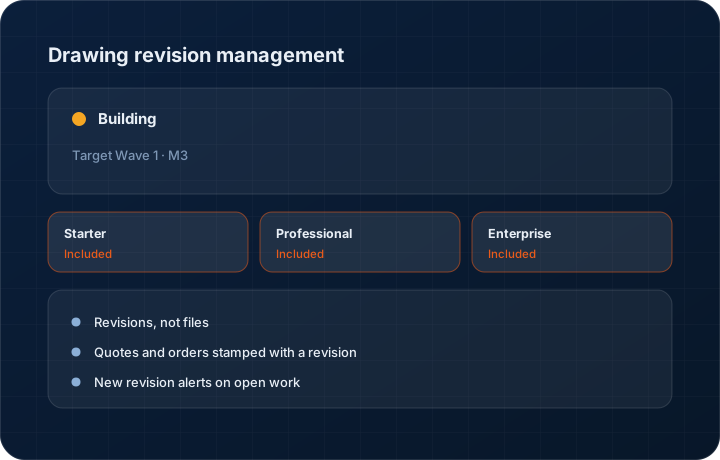
Revisions, not files
A part has a drawing with revisions A, B, C. Uploading Rev C does not overwrite Rev B — both remain, and every document stamped with a revision keeps pointing at the right one.
Quotes and orders stamped with a revision
Every quote line and order line records the drawing revision it was priced or released against, which is the fact that settles a dispute in one screen.
New revision alerts on open work
When a newer revision lands on a part with an open quote or a running order, the affected records are flagged rather than quietly becoming wrong.
AI extraction of key specifications
Material, finish, general tolerance, critical callouts and quantity are extracted from the print and shown next to the region they came from for a person to confirm.
Revision history on the part
The full revision history sits on the part record, so you can see what changed and when across the life of a programme.
Step by step
How it works
The order these steps happen in matters more than the feature list above it.
- 1
Upload the print against a part
The drawing is attached to the part with its revision letter and date, rather than being dropped into a quote as a loose file.
- 2
AI extracts the specifications
Material, finish, tolerances and quantity are read from the drawing. Extraction consumes AI credits at the published spec-sheet OCR weight of three credits per page.
- 3
A person confirms
Each extracted value is shown against the region of the drawing it came from. You confirm or correct it. Nothing is priced from an unconfirmed extraction.
- 4
Quote against the revision
The quote line records which revision it was priced against, and that stamp carries into the order created from it.
- 5
Handle the next revision
When Rev C arrives, it is added as a new revision and every open quote or order on that part is flagged for review.
What this is not
This is not a PLM or document control system — we track the revision a commercial document was priced against, we do not manage engineering change orders or release approvals.
This is not an ERP, MRP, CAD, BOM, or advanced CPQ system — it manages customer RFQs, quotes, follow-ups, and order handoff.
Tier availability
What you get on each plan
These rows come from the same feature matrix the pricing page publishes. If the two ever disagree, the matrix is wrong and we fix it.
| Plan | Availability |
|---|---|
| Starter | Not included — Starter has no vector search or extraction beyond the two basic agents. |
| Professional | Included, with extraction running against your 500 credits per user per month. |
| Enterprise | Included, with extraction against your committed credit pool and custom prompts. A PLM connector for SolidWorks or Autodesk is available as an Enterprise add-on at $250 per month. |
Starter is $39 per user per month, Professional $49, Enterprise $99 plus a $2,000 monthly platform fee. Annual billing is 17% lower. See the full matrix.
Interface
What it looks like
Development build of a part record with three drawing revisions and the quotes stamped against each.
Development build capture at approximately 40 percent complete.
Development build of AI spec extraction with the drawing on the left and extracted material, finish and tolerance values on the right.
Development build capture. Extraction accuracy is still being tuned.
Screenshots are described rather than mocked up. Captures are taken from the build current at the date shown in the changelog, on a sample workspace.
Questions about drawing revision management
About 40 percent, targeted at Wave 1 Milestone 3. Revision storage and stamping are further along than the AI extraction, which is still being tuned.
Related features
AI drawing OCR
AI drawing OCR for GD&T and tolerances
Read moreEmbedded CAD viewer
Embedded CAD viewer for STEP, IGES and DWG
Read moreTechnical pre-sales routing
Technical pre-sales routing to engineering, costing and production
Read moreWhat's shipping today
All 47 features grouped by status on one page, with the newest releases alongside.
Read moreSee a live quote draft built from a real RFQ
Fourteen days, no credit card, sample data pre-loaded. If it does not fit your shop, we will tell you in the first call.
- Delaware LLC
- SOC 2 Type II
- USA Data Centers (AWS)