Embedded CAD viewer for STEP, IGES and DWG
This feature does not exist. The intent is to open a customer's STEP, IGES or DWG file in the browser from the quote. Wave 2, indicative Q2 2027 — direction, not a commitment.
In short
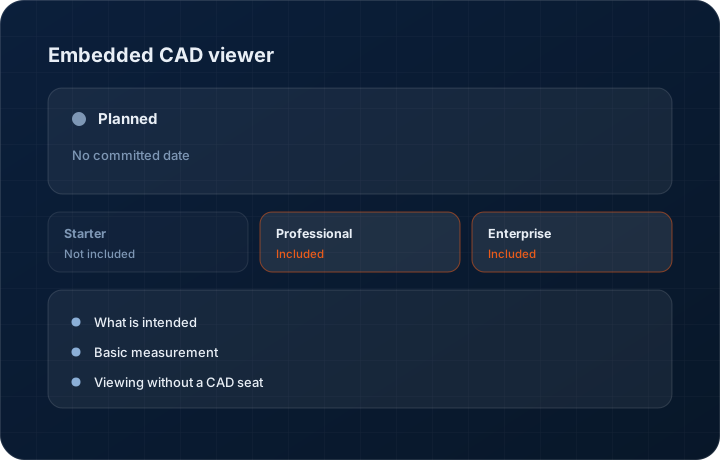
An embedded CAD viewer for STEP, IGES and DWG files is not built. The intent is that anyone quoting in KanchanFlow could open the customer's model from the quote record without a CAD seat. It is Wave 2 with an indicative Q2 2027 direction, which is not a commitment and not a date you should plan around.
Where this actually stands
Today you can attach STEP, IGES and DWG files to a quote and they travel with it — the file management works. What you cannot do is look at them without opening a CAD package, which means the estimator, the inside sales person and the owner are all dependent on whoever has a licence.
The planned viewer would render the attached model in the browser with basic measurement and section views. We are publishing an indicative Q2 2027 for Wave 2 because we publish one quarter out at most as a commitment and everything beyond that is direction. Nothing here is available now. Treat the quarter as a signal of intent and nothing more than that.
Capabilities
What this would cover if we build it
What is intended
In-browser rendering of attached STEP, IGES and DWG files from the quote or part record, with rotate, zoom and section views.
Basic measurement
Enough measurement to sanity check a dimension against a quote line. Not a substitute for the CAD package your engineers actually work in.
Viewing without a CAD seat
The purpose is to remove the licence dependency from the commercial side of the shop, not to add a design tool.
What works today
STEP, IGES and DWG files can already be attached to quotes and parts, stored against the record and sent in the customer share link. Only the viewing is missing.
Why it sits behind Wave 1
An RFQ record, a four-column cost buildup and an approval engine each change what a shop can do. A viewer changes who has to be asked to open a file. We would rather ship the first three and say so plainly.
Step by step
Where the work stands
There is no workflow to walk through yet. This is what the current position actually is.
- 1
Nothing works yet
There is no viewer. Files attach and download today; they do not render in the browser.
- 2
Format support is being scoped
STEP and IGES are the priority because they are what customers actually send. DWG support is a separate assessment.
- 3
It sits behind Wave 1
Everything in Wave 1 — RFQ records, CPQ, approvals — comes before this. That ordering is why the date is indicative.
- 4
The status will change here first
If it moves into development it will get a milestone and a progress figure on this page, and appear in the changelog when it ships.
- 5
What we would not build
Assemblies with thousands of components, PMI interrogation and drawing generation belong in a CAD package. If the viewer ever ships it will open a customer file well enough to sanity check a quote line, and no further.
What this is not
This is not available today, and it would never be a CAD editing tool — viewing and basic measurement only.
This is not an ERP, MRP, CAD, BOM, or advanced CPQ system — it manages customer RFQs, quotes, follow-ups, and order handoff.
Tier availability
What you get on each plan
These rows come from the same feature matrix the pricing page publishes. If the two ever disagree, the matrix is wrong and we fix it.
| Plan | Availability |
|---|---|
| Starter | Not built — no tier assignment. |
| Professional | Not built — no tier assignment. |
| Enterprise | Not built — no tier assignment. |
Starter is $39 per user per month, Professional $49, Enterprise $99 plus a $2,000 monthly platform fee. Annual billing is 17% lower. See the full matrix.
Interface
What it looks like
No screenshot. There is nothing built to capture.
We do not publish mockups of unbuilt features as if they were interface captures.
No screenshot. File attachment on quotes is live and is shown on the quote editor page.
Placeholder retained so this page's structure matches every other feature page.
Screenshots are described rather than mocked up. Captures are taken from the build current at the date shown in the changelog, on a sample workspace.
Questions about embedded cad viewer
Yes. STEP, IGES and DWG files attach to quotes and parts now and travel in the customer share link. What is missing is viewing them in the browser.
Related features
Drawing revision management
Drawing revision management with AI spec extraction
Read moreAI drawing OCR
AI drawing OCR for GD&T and tolerances
Read moreQuote editor
Quote editor with attachments, share links, FX and revisions
Read moreWhat's shipping today
All 47 features grouped by status on one page, with the newest releases alongside.
Read moreSee a live quote draft built from a real RFQ
Fourteen days, no credit card, sample data pre-loaded. If it does not fit your shop, we will tell you in the first call.
- Delaware LLC
- SOC 2 Type II
- USA Data Centers (AWS)