AI agent with human approval before send
The agent drafts. A person approves. Nothing reaches a customer because a model decided it should — and every run costs a known number of credits.
In short
KanchanFlow's AI agents draft work inside the RFQ-to-Order CRM and stop for human approval before anything leaves the building. The RFQ Agent turns an emailed enquiry into a structured RFQ; the Quote Follow-Up Agent drafts the chase message. Both are approval-first by default, and every run costs a published number of credits.
What it is
The reason shops distrust AI in sales software is not accuracy, it is autonomy. A model that emails a customer on its own will eventually email the wrong customer the wrong price, and you will find out from the customer. We built the approval step in as the default rather than as a setting most people never find.
Two agents are on every tier: RFQ extraction, which reads an enquiry email and produces a structured RFQ with parts, quantities and dates for you to check; and Quote Follow-Up, which drafts the chase message in your tone with the quote reference and the outstanding decision. Professional adds seven more, and Enterprise adds custom prompts.
Capabilities
What it does
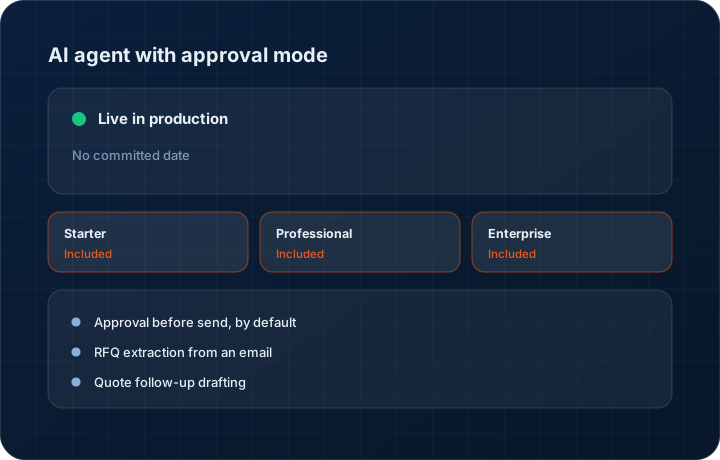
Approval before send, by default
Drafted messages sit in a review queue with the customer, the quote and the exact text. Approve, edit or discard. Nothing is dispatched on the agent's own judgement.
RFQ extraction from an email
An enquiry email becomes a structured RFQ with part numbers, quantities, materials and required dates, each field showing what it was extracted from so you can check it against the original.
Quote follow-up drafting
The follow-up draft references the quote number, the revision, what is outstanding and when it expires, so the chase reads like a person who knows the deal wrote it.
Published credit weights
An RFQ email extract costs two credits, a follow-up draft costs one, a page of OCR costs three. Every operation has a published weight so the bill is predictable.
Extraction shown next to the source
Each extracted field is shown against the text it came from. Checking an agent's work should take fifteen seconds, not a re-read of the whole email.
Step by step
How it works
The order these steps happen in matters more than the feature list above it.
- 1
The trigger happens
An enquiry email arrives, or a quote passes its follow-up date. The relevant agent picks it up automatically.
- 2
The agent drafts
The RFQ Agent produces a structured RFQ; the Follow-Up Agent produces a message. Credits are deducted at the published weight for that operation.
- 3
A human reviews
The draft appears in the review queue with its source material alongside. You approve, edit before approving, or discard it.
- 4
Approved work is applied
An approved RFQ is created as a record; an approved message is sent through the chosen channel and logged on the customer timeline.
- 5
Usage is visible
Credit consumption is reported per agent and per user, so you can see what the AI is actually costing before the month ends.
What this is not
This is not an autonomous sales agent — it does not negotiate, it does not decide pricing, and it does not contact a customer without a person approving the message.
This is not an ERP, MRP, CAD, BOM, or advanced CPQ system — it manages customer RFQs, quotes, follow-ups, and order handoff.
Tier availability
What you get on each plan
These rows come from the same feature matrix the pricing page publishes. If the two ever disagree, the matrix is wrong and we fix it.
| Plan | Availability |
|---|---|
| Starter | 2 basic agents — RFQ Agent and Quote Follow-Up. 100 AI credits per paid user per month. |
| Professional | All 9 agents. 500 AI credits per paid user per month, plus vector search via credits. |
| Enterprise | All 9 agents plus custom agent prompts. Committed credit pool with fair use. |
Starter is $39 per user per month, Professional $49, Enterprise $99 plus a $2,000 monthly platform fee. Annual billing is 17% lower. See the full matrix.
Interface
What it looks like
Approval queue with three drafted follow-up messages, each showing the customer, quote reference and full message text.
Interface capture of the AI review queue. Customer names are sample data.
RFQ extraction view with the source email on the left and the extracted parts, quantities and dates on the right.
Interface capture of the extraction review screen.
Screenshots are described rather than mocked up. Captures are taken from the build current at the date shown in the changelog, on a sample workspace.
Connectors
Integrations this feature uses
Starter includes one accounting connector and one lead source; Professional and Enterprise include all of them. Browse every integration.
Questions about ai agent with approval mode
Not by default, and that default is the feature. Drafts wait in a review queue for a person to approve. We would rather be slower than surprise you in front of a customer.
Related features
RFQ management
RFQ as a first-class object
Read moreDrawing revision management
Drawing revision management with AI spec extraction
Read moreSales visit intelligence
Sales visit intelligence — voice to CRM
Read moreWhat's shipping today
All 47 features grouped by status on one page, with the newest releases alongside.
Read moreSee a live quote draft built from a real RFQ
Fourteen days, no credit card, sample data pre-loaded. If it does not fit your shop, we will tell you in the first call.
- Delaware LLC
- SOC 2 Type II
- USA Data Centers (AWS)