Sales visit intelligence — voice to CRM
Talk for ninety seconds in the car park. Get structured notes, follow-up tasks and the next step on the record — with a person confirming before anything is saved.
Development progress
40%
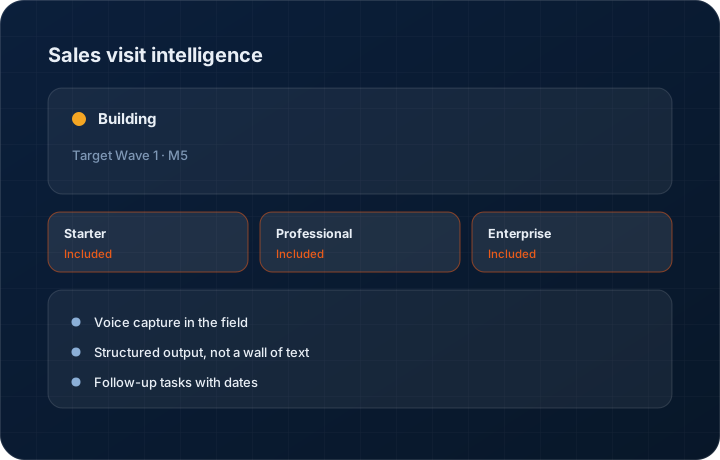
Target Wave 1 · M5. Progress figures move when the work does, and the changelog records the release.
In short
Sales visit intelligence turns a spoken debrief after a customer visit into structured notes, follow-up tasks and record updates in the KanchanFlow RFQ-to-Order CRM, presented for human confirmation before saving. It is roughly 40 percent complete, targeted at Wave 1 Milestone 5, and it runs against your AI credit allowance.
What it is
The gap between a good sales call and a useful CRM record is a typing job that happens at nine at night, if it happens. What is lost is not the headline — it is the detail: the engineer's objection to the surface finish, the competitor they mentioned, the date the programme actually starts.
The work in progress lets the salesperson speak the debrief into the mobile app while it is fresh. The transcript is turned into structured output — what was discussed, who was there, objections raised, next steps with dates — and shown for confirmation. Nothing is written to the record until a person approves it, in line with our approval-first stance on AI.
Capabilities
What it does
Voice capture in the field
Record the debrief in the mobile app immediately after the visit, when the detail is still there. Ninety seconds of speech beats a paragraph typed three days later.
Structured output, not a wall of text
Discussion points, attendees, objections, competitor mentions and next steps are separated into fields, because a transcript nobody re-reads is not a record.
Follow-up tasks with dates
'Send revised quote by Friday' becomes a task with an owner and a due date, rather than a sentence buried in a note.
Confirmation before saving
The extracted structure is shown next to the transcript for the salesperson to correct and approve. Nothing reaches the record unconfirmed.
Attached to the visit and the account
The confirmed summary attaches to the visit record and the customer timeline, where the next person to open the account will find it.
Step by step
How it works
The order these steps happen in matters more than the feature list above it.
- 1
Finish the visit and check out
The visit is already checked in with GPS, so the debrief attaches to a known visit at a known customer.
- 2
Speak the debrief
Record in the mobile app. Talk the way you would tell a colleague what happened — the structuring is the software's job, not yours.
- 3
Transcription and extraction run
The recording is transcribed and structured. Meeting summarisation consumes three credits up to thirty minutes and six credits from thirty to sixty.
- 4
Confirm or correct
The structured output appears next to the transcript. Fix anything wrong, then approve. Nothing saves before that.
- 5
Tasks and updates are created
Follow-up tasks are created with dates and owners, and the summary attaches to the visit and the customer timeline.
What this is not
This is not transcription of the customer meeting itself — it captures your own debrief afterwards, not the conversation in the room.
This is not an ERP, MRP, CAD, BOM, or advanced CPQ system — it manages customer RFQs, quotes, follow-ups, and order handoff.
Tier availability
What you get on each plan
These rows come from the same feature matrix the pricing page publishes. If the two ever disagree, the matrix is wrong and we fix it.
| Plan | Availability |
|---|---|
| Starter | Not included — Starter has only the RFQ and Quote Follow-Up agents. |
| Professional | Included, running against your 500 AI credits per user per month. |
| Enterprise | Included, running against your committed credit pool, with custom prompts available. |
Starter is $39 per user per month, Professional $49, Enterprise $99 plus a $2,000 monthly platform fee. Annual billing is 17% lower. See the full matrix.
Interface
What it looks like
Development build of the mobile debrief screen with the transcript and the extracted discussion points, objections and next steps beside it.
Development build capture at approximately 40 percent complete.
Development build of the confirmation step showing three proposed follow-up tasks with owners and due dates before saving.
Development build capture, not production.
Screenshots are described rather than mocked up. Captures are taken from the build current at the date shown in the changelog, on a sample workspace.
Connectors
Integrations this feature uses
Starter includes one accounting connector and one lead source; Professional and Enterprise include all of them. Browse every integration.
Questions about sales visit intelligence
About 40 percent, targeted at Wave 1 Milestone 5. Voice capture and transcription are working; the structured extraction and confirmation flow are still in development.
Related features
Field visits
Field visits with GPS check-in and territory
Read moreMobile app
Native iOS and Android app
Read moreAI agent with approval mode
AI agent with human approval before send
Read moreWhat's shipping today
All 47 features grouped by status on one page, with the newest releases alongside.
Read moreSee a live quote draft built from a real RFQ
Fourteen days, no credit card, sample data pre-loaded. If it does not fit your shop, we will tell you in the first call.
- Delaware LLC
- SOC 2 Type II
- USA Data Centers (AWS)