Material tracking
Know what material arrived for which job, what has been consumed, and what is left to return — without a spreadsheet that only one person understands.
In short
Material tracking in KanchanFlow records the material tied to a customer order: what was received, what has been consumed, and what remains. Because it lives in the RFQ-to-Order CRM next to the quote and the order, the person answering the customer's question can see the material position without walking to the stores.
What it is
Job shops handle material that is not theirs. Free-issue bar stock from the customer, castings shipped in for machining, a tooling blank held between orders — all of it needs to be accounted for, and most of it is tracked on a clipboard or in one person's spreadsheet. That works until the customer asks for a figure on a Tuesday afternoon.
We attach material to the order it belongs to. Receipt is recorded with quantity, heat or lot reference and the date it arrived. Consumption is recorded as the job runs, and the balance is what remains. When the customer asks how much of their material you are still holding, the answer is on the record they can already see the order on.
Capabilities
What it does
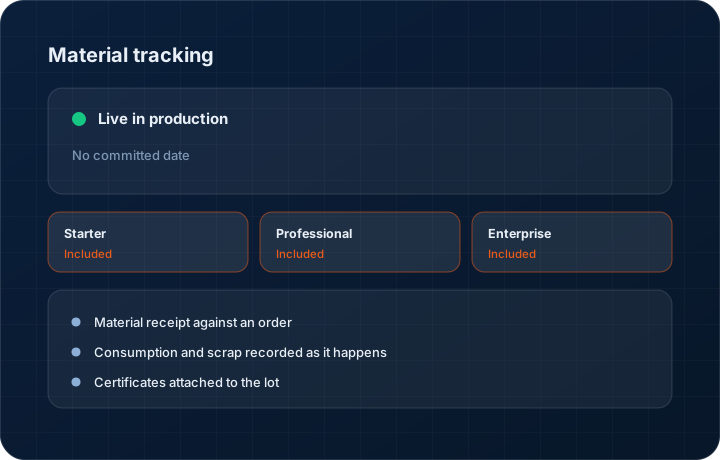
Material receipt against an order
Record what arrived, in what quantity, with the heat number, lot or certificate reference and the date. Customer-supplied material is separated from material you bought for the job.
Consumption and scrap recorded as it happens
Log consumption against the order as parts are made, including scrap. The remaining balance is a running figure rather than a stocktake surprise.
Certificates attached to the lot
Mill certs and test reports attach to the received material, so the traceability document is with the material record when the customer asks for it two years later.
Return and disposal tracking
Record material returned to the customer or scrapped with their agreement, so the closing balance on a job is zero for a reason you can point at.
Visible on the order
The material position appears on the order the salesperson is already looking at, which is where the customer's question arrives.
Step by step
How it works
The order these steps happen in matters more than the feature list above it.
- 1
Open the order
Material is tracked against the customer order it belongs to, so it inherits the customer, the part and the job context without re-entry.
- 2
Record receipt
Enter quantity received, heat or lot reference, supplier or customer as the source, and the date. Attach the mill certificate or test report.
- 3
Log consumption
As the job runs, record material consumed and scrapped against the order. The balance updates on the order header.
- 4
Answer the customer from the record
When the buyer asks how much of their free-issue stock remains, the figure is on the order rather than in the stores manager's head.
- 5
Close the balance
Return or scrap the remainder with a record of what was agreed, and the job closes with a material balance of zero rather than an open question.
What this is not
This is not inventory management or MRP — we track material against a customer order, we do not run stock levels, reorder points or purchase planning.
This is not an ERP, MRP, CAD, BOM, or advanced CPQ system — it manages customer RFQs, quotes, follow-ups, and order handoff.
Tier availability
What you get on each plan
These rows come from the same feature matrix the pricing page publishes. If the two ever disagree, the matrix is wrong and we fix it.
| Plan | Availability |
|---|---|
| Starter | Included. Manual milestone and material updates. |
| Professional | Included. Material milestones can be updated from an ERP webhook. |
| Enterprise | Included. Multi-plant material positions roll up across entities. |
Starter is $39 per user per month, Professional $49, Enterprise $99 plus a $2,000 monthly platform fee. Annual billing is 17% lower. See the full matrix.
Interface
What it looks like
Order material panel showing received quantity, heat number, consumed, scrapped and remaining balance.
Interface capture of the material tab on an order. Heat numbers are sample data.
Mill certificate attached to a received lot, visible from the order record.
Interface capture of the material certificate attachment.
Screenshots are described rather than mocked up. Captures are taken from the build current at the date shown in the changelog, on a sample workspace.
Connectors
Integrations this feature uses
Starter includes one accounting connector and one lead source; Professional and Enterprise include all of them. Browse every integration.
Questions about material tracking
No. We track material against a specific customer order. Stock levels, reorder points and purchasing belong in an inventory system or ERP, and we say so plainly.
Related features
Orders
Quote-as-Order with staged billing and partial dispatch
Read moreSample tracking
9-stage sample lifecycle
Read moreManufacturing workspace
Manufacturing workspace — dashboard, customers, inventory, orders, purchase orders, shipments
Read moreWhat's shipping today
All 47 features grouped by status on one page, with the newest releases alongside.
Read moreSee a live quote draft built from a real RFQ
Fourteen days, no credit card, sample data pre-loaded. If it does not fit your shop, we will tell you in the first call.
- Delaware LLC
- SOC 2 Type II
- USA Data Centers (AWS)