Manufacturing workspace — dashboard, customers, inventory, orders, purchase orders, shipments
Not a generic CRM with 'Deals' renamed. The navigation is customers, orders, purchase orders and shipments, and the home screen changes depending on whose it is.
In short
The manufacturing workspace is the shell of the KanchanFlow RFQ-to-Order CRM: a role-specific dashboard plus customers, inventory view, orders, purchase orders and shipments. It is organised around the documents a job shop actually passes around rather than around a generic opportunity pipeline borrowed from software sales.
What it is
Most CRMs are built for a sales motion where the object of interest is a deal and the deliverable is a signature. In a job shop the objects are an RFQ, a drawing revision, a quote, a customer PO, a dispatch note and an invoice — and the person using the system is as likely to be a plant manager as a salesperson.
The workspace reflects that. The navigation names the real documents. The home screen is role-specific, so an owner opens on approvals and the command centre while an estimator opens on RFQs waiting to be priced. Starter has two of those home screens, Professional has all eight, Enterprise adds custom role-based access control.
Capabilities
What it does
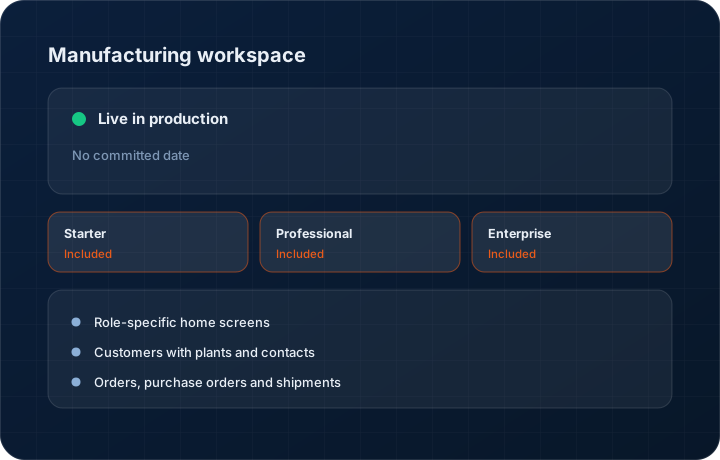
Role-specific home screens
Owner, salesperson, estimator, inside sales, plant manager, dealer manager, finance and administrator each open on the work waiting for them rather than on a generic dashboard everyone ignores.
Customers with plants and contacts
A customer is a company with plants, contacts and buying history, not a single row. Professional adds plant records and stakeholder mapping; Enterprise adds multi-entity roll-up.
Orders, purchase orders and shipments
The customer order, the customer's purchase order document, and what actually shipped are three separate things and are treated as three separate things.
Inventory view
A read of what is on hand and allocated for the orders you are quoting and running. It answers 'can we promise this date', not 'what should we buy'.
Manufacturing templates by vertical
Pre-built field sets and stages for common shop types. Five verticals on Starter, twelve on Professional, twelve plus custom on Enterprise.
Search across documents
Search a part number and get the RFQs, quotes, orders and shipments it appears on. Most questions in a shop start with a part number, not a company name.
Step by step
How it works
The order these steps happen in matters more than the feature list above it.
- 1
Pick your vertical template
Choose the template closest to your shop — machining, fabrication, contract assembly and so on. It sets sensible stages, fields and home screens rather than an empty system.
- 2
Assign roles
Give each user a role. The role sets their home screen and their permissions, so the estimator does not open on a dealer dashboard.
- 3
Bring in customers and contacts
Import your account list with plants and contacts, or let the lead connectors populate it. Duplicate detection runs on import.
- 4
Work the documents
RFQ to quote to order to dispatch to invoice, each as its own record with links back to the one before it.
- 5
Watch it from the dashboard
The owner command centre and the revenue leakage dashboard read the same records, so the numbers on the wall match the records underneath them.
What this is not
This is not an ERP or MRP — there is no routing, no capacity planning, no BOM explosion and no shop-floor scheduling in this workspace.
This is not an ERP, MRP, CAD, BOM, or advanced CPQ system — it manages customer RFQs, quotes, follow-ups, and order handoff.
Tier availability
What you get on each plan
These rows come from the same feature matrix the pricing page publishes. If the two ever disagree, the matrix is wrong and we fix it.
| Plan | Availability |
|---|---|
| Starter | 2 role home screens (Owner and Salesperson), 5 manufacturing vertical templates, 5,000 contacts and accounts, 10 GB storage. |
| Professional | 8 role home screens, 12 vertical templates, unlimited contacts and accounts, 100 GB storage. |
| Enterprise | 8 home screens plus custom RBAC, 12 templates plus custom, unlimited records, 500 GB or more storage. |
Starter is $39 per user per month, Professional $49, Enterprise $99 plus a $2,000 monthly platform fee. Annual billing is 17% lower. See the full matrix.
Interface
What it looks like
Owner home screen with the approval queue, open quote value, order book and the six-panel command centre summary.
Interface capture of the owner role home screen. All figures are sample data.
Customer record showing three plants, five contacts, open quotes and order history in one view.
Interface capture of the customer workspace.
Screenshots are described rather than mocked up. Captures are taken from the build current at the date shown in the changelog, on a sample workspace.
Connectors
Integrations this feature uses
Starter includes one accounting connector and one lead source; Professional and Enterprise include all of them. Browse every integration.
Questions about manufacturing workspace
No. It manages customer RFQs, quotes, follow-ups and order handoff. Routing, capacity, BOM explosion and shop-floor scheduling belong in an ERP or MRP system, and we do not claim to replace one.
Related features
Owner command centre
Manufacturing owner command centre
Read moreCustomer 360
Customer 360 with plants and stakeholder mapping
Read moreOrders
Quote-as-Order with staged billing and partial dispatch
Read moreWhat's shipping today
All 47 features grouped by status on one page, with the newest releases alongside.
Read moreSee a live quote draft built from a real RFQ
Fourteen days, no credit card, sample data pre-loaded. If it does not fit your shop, we will tell you in the first call.
- Delaware LLC
- SOC 2 Type II
- USA Data Centers (AWS)