Manufacturing owner command centre
One screen for the person who signs the cheques. Six panels, each answering a question an owner asks on a Monday, each opening into the records underneath.
In short
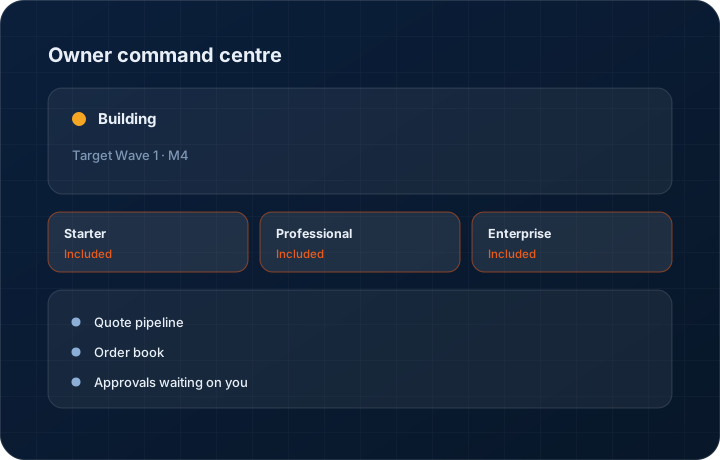
The manufacturing owner command centre is a six-panel home screen in the KanchanFlow RFQ-to-Order CRM covering quote pipeline, order book, approvals waiting, revenue leakage, cash position and channel health. It is in development for Wave 1 Milestone 4. Starter carries a simplified version; the full six panels are on Professional and Enterprise.
What it is
The owner of a fifty-person shop does not want a CRM. They want the four or five things they would otherwise ask four or five people for, on one screen, correct, without a meeting. Everything else in the product exists so this screen can be accurate. If the underlying records are wrong, no dashboard on top of them can be right.
Six panels: what is quoted and where it stands, what is on order and when it ships, what needs the owner's decision today, where revenue is leaking, what cash is coming and what is overdue, and how the dealer channel is behaving. Every panel opens into records, because a number without a list is only a mood.
Capabilities
What it does
Quote pipeline
Open quote value by stage and age, with win rate over the trailing period. Quotes older than your follow-up threshold are called out rather than averaged away.
Order book
Booked value, what is dispatched, what is outstanding and what is at risk on delivery date. This is the panel the plant manager will read over your shoulder.
Approvals waiting on you
Discounts, below-floor margins and terms exceptions waiting on the owner, with the cost buildup and customer history attached, approvable from the phone.
Revenue leakage summary
The headline figures from the leakage dashboard — unquoted enquiries, unfollowed quotes, unbilled dispatches — with the full dashboard one click away.
Cash position
Invoiced and outstanding by aging bucket, expected receipts, and customers at or over their credit limit. Aging and pipeline on one screen is a rarer thing than it should be.
Channel health
Dealer ordering behaviour, partners past their expected reorder date, and channel value against direct. Only meaningful if you sell through a channel, and hidden if you do not.
Step by step
How it works
The order these steps happen in matters more than the feature list above it.
- 1
Sign in as an owner
The command centre is the owner role's home screen. It opens on sign-in rather than being a report somebody has to find.
- 2
Panels read live records
Every panel computes from the quotes, orders, invoices and dealer records in the system. There is no separate reporting layer to fall out of date.
- 3
Act on the approvals
Approvals are actionable in place, and on the phone, because the owner is frequently the constraint on a quote going out.
- 4
Drill into anything
Each panel opens the records behind it. The screen exists to start work, not to be screenshotted into a board pack.
- 5
Check it on the phone
The same six panels appear in the mobile app, which is where most owners will actually read them.
What this is not
This is not a production or OEE dashboard — there is no machine utilisation, downtime or scrap-rate reporting here, because we do not have shop-floor data.
This is not an ERP, MRP, CAD, BOM, or advanced CPQ system — it manages customer RFQs, quotes, follow-ups, and order handoff.
Tier availability
What you get on each plan
These rows come from the same feature matrix the pricing page publishes. If the two ever disagree, the matrix is wrong and we fix it.
| Plan | Availability |
|---|---|
| Starter | Simplified command centre. |
| Professional | Full 6-panel command centre. |
| Enterprise | 6-panel command centre plus custom panels and multi-entity roll-up. |
Starter is $39 per user per month, Professional $49, Enterprise $99 plus a $2,000 monthly platform fee. Annual billing is 17% lower. See the full matrix.
Interface
What it looks like
Development build of the six-panel owner command centre with pipeline, order book, approvals, leakage, cash and channel health.
Development build capture at Wave 1 Milestone 4 scope. All figures are sample data.
Development build of the same command centre on mobile, with the approvals panel expanded.
Development build capture from the iOS app, not production.
Screenshots are described rather than mocked up. Captures are taken from the build current at the date shown in the changelog, on a sample workspace.
Questions about owner command centre
In development with a Wave 1 Milestone 4 target. It depends on the approval engine and the leakage dashboard, which are being built for the same milestone.
Related features
Revenue leakage dashboard
Revenue leakage dashboard
Read moreApproval engine
Rules-based approval engine
Read moreManufacturing workspace
Manufacturing workspace — dashboard, customers, inventory, orders, purchase orders, shipments
Read moreWhat's shipping today
All 47 features grouped by status on one page, with the newest releases alongside.
Read moreSee a live quote draft built from a real RFQ
Fourteen days, no credit card, sample data pre-loaded. If it does not fit your shop, we will tell you in the first call.
- Delaware LLC
- SOC 2 Type II
- USA Data Centers (AWS)