GST invoicing with GSTIN, HSN, GSTR-1 and GSTR-3B
Correct GST treatment on the invoice at the moment you raise it — GSTIN on the header, HSN on the line, place of supply driving CGST, SGST or IGST — and returns data that reconciles.
For USA manufacturers with India operations, India-based contract customers, or manufacturers exporting to India.
In short
GST invoicing in KanchanFlow applies Indian indirect tax rules inside the RFQ-to-Order CRM: GSTIN on the party, HSN or SAC on every line, and place of supply deciding CGST and SGST or IGST. GSTR-1 and GSTR-3B summaries export from the same records. It is included on every tier and never gated.
What it is
If you run a plant in Pune, buy from an Indian contract manufacturer, or ship product into India, someone in your organisation is dealing with GST. Getting it wrong is not a rounding error: a mismatched GSTIN or a wrong place of supply blocks your customer's input tax credit, and they will hold your payment until it is fixed.
We put the tax logic where the document is created rather than at month end. The party's GSTIN sets the state, the state pair sets whether the transaction is intra-state or inter-state, and the line's HSN sets the rate. By the time the invoice is issued the treatment is already decided, and the return summaries are a read of records that were correct when they were made.
Capabilities
What it does
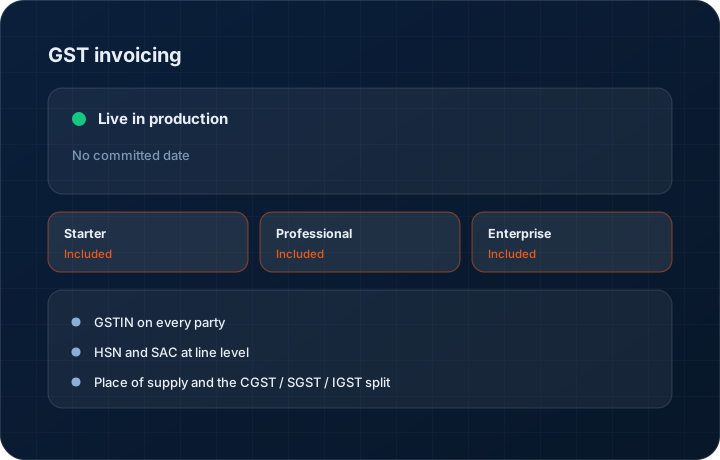
GSTIN on every party
Customers and vendors carry a validated GSTIN with the registered legal name and state. The state code drives the place-of-supply logic on every document raised against that party.
HSN and SAC at line level
Each product or service line carries its own HSN or SAC code and rate. A mixed invoice with goods at one rate and machining services at another is handled on a single document.
Place of supply and the CGST / SGST / IGST split
Same-state supply splits into CGST and SGST; inter-state raises IGST. Export invoices are marked as such with or without payment of tax. The decision comes from the record, not from the person typing.
GSTR-1 and GSTR-3B summaries
Export B2B, B2C and credit or debit note data in GSTR-1 shape, and the summary figures for GSTR-3B, straight from the invoices raised in the period. Filing still happens on the GST portal or through your filing agent.
Reverse charge and exempt handling
Flag reverse-charge supplies and exempt or nil-rated lines so they land in the right return bucket rather than being quietly taxed at standard rate.
Step by step
How it works
The order these steps happen in matters more than the feature list above it.
- 1
Set up the party
Enter the customer's GSTIN. Validation returns the registered legal name, state and status, and the record stores the state code used for place-of-supply decisions.
- 2
Code your items
Assign an HSN code to each product and an SAC to each service you invoice. The rate attaches to the code, so it applies consistently across every quote and invoice.
- 3
Raise the invoice
The invoice compares your registered state with the place of supply and applies CGST and SGST or IGST accordingly, line by line, at the rate attached to each HSN.
- 4
Issue notes against the original
Credit and debit notes reference the parent invoice and carry the same GST treatment, so they reconcile in the return rather than appearing as loose documents.
- 5
Pull the return data
At period end, export the GSTR-1 detail and the GSTR-3B summary for the invoices raised in that period, and hand it to whoever files.
What this is not
This is not a filing service — we produce correct documents and return-shaped exports, but we do not file GSTR-1 or GSTR-3B on your behalf.
This is not an ERP, MRP, CAD, BOM, or advanced CPQ system — it manages customer RFQs, quotes, follow-ups, and order handoff.
Tier availability
What you get on each plan
These rows come from the same feature matrix the pricing page publishes. If the two ever disagree, the matrix is wrong and we fix it.
| Plan | Availability |
|---|---|
| Starter | Included. Never an add-on, never a tier gate. |
| Professional | Included. Same feature set as Starter. |
| Enterprise | Included, plus the advanced exposure calculator. |
Starter is $39 per user per month, Professional $49, Enterprise $99 plus a $2,000 monthly platform fee. Annual billing is 17% lower. See the full matrix.
Interface
What it looks like
Invoice with three lines at two different HSN rates, showing the IGST split for an inter-state supply.
Interface capture of the GST invoice view. GSTINs shown are sample data, not real registrations.
GSTR-1 export preview grouped into B2B, B2C large and credit note sections for a single month.
Interface capture of the return export screen.
Screenshots are described rather than mocked up. Captures are taken from the build current at the date shown in the changelog, on a sample workspace.
Connectors
Integrations this feature uses
Starter includes one accounting connector and one lead source; Professional and Enterprise include all of them. Browse every integration.
Questions about gst invoicing
Because a large share of USA manufacturers have India operations, buy from India-based contract manufacturers, or export into India. Those transactions need correct GST treatment, and bolting it on at month end does not work.
See a live quote draft built from a real RFQ
Fourteen days, no credit card, sample data pre-loaded. If it does not fit your shop, we will tell you in the first call.
- Delaware LLC
- SOC 2 Type II
- USA Data Centers (AWS)