Purchase order OCR
The customer's PO arrives as a PDF from their ERP. Read it, match it against the quote, and flag the line where the price does not agree — before you accept the order.
In short
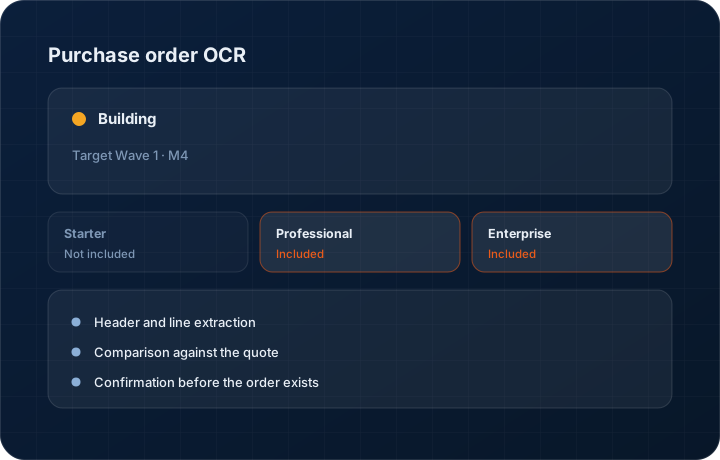
Purchase order OCR reads a customer's PO document into structured lines inside the KanchanFlow RFQ-to-Order CRM and compares them against the quote the order came from. It is in development with a Wave 1 Milestone 4 target, runs against your AI credit allowance at three credits per page, and always asks a person to confirm before the order is created.
What it is
A customer PO is a legal document that frequently disagrees with the quote it is answering. The quantity is different, the price is from a superseded revision, the delivery date is two weeks earlier, or the terms have quietly become net sixty. Somebody has to read the PDF against the quote, and in most shops that somebody is doing it at speed.
The work in progress extracts the header and lines from the PO — buyer, PO number, dates, part numbers, quantities, prices and terms — and puts them next to the quote for comparison. Differences are highlighted rather than accepted. The order is created only after a person confirms, and any accepted difference is recorded on the order.
Capabilities
What it does
Header and line extraction
PO number, buyer, order date, required date, ship-to, payment terms and every line with part number, quantity and price come out of the document as fields, not as a scanned image in an attachment folder.
Comparison against the quote
Extracted lines are matched to the quote they answer and differences in price, quantity, lead time and terms are highlighted individually.
Confirmation before the order exists
Nothing becomes an order on the strength of an extraction. A person reviews the comparison, accepts or queries the differences, and then the order is created.
Accepted differences recorded
Where you accept a customer's changed price or date, the acceptance is recorded on the order against the original quote figure, so the variance is visible later.
The PO document stays attached
The original PDF remains attached to the order. The extraction is a convenience; the customer's document is the evidence.
Step by step
How it works
The order these steps happen in matters more than the feature list above it.
- 1
The PO arrives
Upload the PDF, or let it arrive on the email thread attached to the quote. It is stored against the quote before anything is read.
- 2
Extraction runs
Header and line data are read from the document at the published PO OCR weight of three AI credits per page.
- 3
Compare against the quote
Extracted lines are matched to quote lines. Price, quantity, date and terms differences are highlighted with both values shown side by side.
- 4
A person decides
Accept the differences, query them with the buyer, or reject the PO. Nothing proceeds on the extraction alone.
- 5
The order is created
On confirmation the order is created with the customer PO number attached, and any accepted variance recorded against the quoted figure.
What this is not
This is not EDI — it reads PDF and scanned purchase orders, it does not exchange structured transaction sets with a customer's system.
This is not an ERP, MRP, CAD, BOM, or advanced CPQ system — it manages customer RFQs, quotes, follow-ups, and order handoff.
Tier availability
What you get on each plan
These rows come from the same feature matrix the pricing page publishes. If the two ever disagree, the matrix is wrong and we fix it.
| Plan | Availability |
|---|---|
| Starter | Not included. |
| Professional | Included, running against your 500 AI credits per user per month at 3 credits per page. |
| Enterprise | Included, running against your committed credit pool. |
Starter is $39 per user per month, Professional $49, Enterprise $99 plus a $2,000 monthly platform fee. Annual billing is 17% lower. See the full matrix.
Interface
What it looks like
Development build showing an extracted purchase order beside the quote it answers, with two price differences and one date difference highlighted.
Development build capture. Extraction accuracy is still being tuned and layout will change.
Development build of the confirmation step where accepted differences are recorded against the original quoted values.
Development build capture, not production.
Screenshots are described rather than mocked up. Captures are taken from the build current at the date shown in the changelog, on a sample workspace.
Connectors
Integrations this feature uses
Starter includes one accounting connector and one lead source; Professional and Enterprise include all of them. Browse every integration.
Questions about purchase order ocr
In development with a Wave 1 Milestone 4 target. We are not publishing a percentage on this one because the extraction accuracy work is the part that decides when it is ready.
Related features
Orders
Quote-as-Order with staged billing and partial dispatch
Read moreQuote editor
Quote editor with attachments, share links, FX and revisions
Read moreAI agent with approval mode
AI agent with human approval before send
Read moreWhat's shipping today
All 47 features grouped by status on one page, with the newest releases alongside.
Read moreSee a live quote draft built from a real RFQ
Fourteen days, no credit card, sample data pre-loaded. If it does not fit your shop, we will tell you in the first call.
- Delaware LLC
- SOC 2 Type II
- USA Data Centers (AWS)