Call hub, dialer and recording
Click to call from the record, and the call logs itself. No post-call data entry, no calls that happened but were never written down.
In short
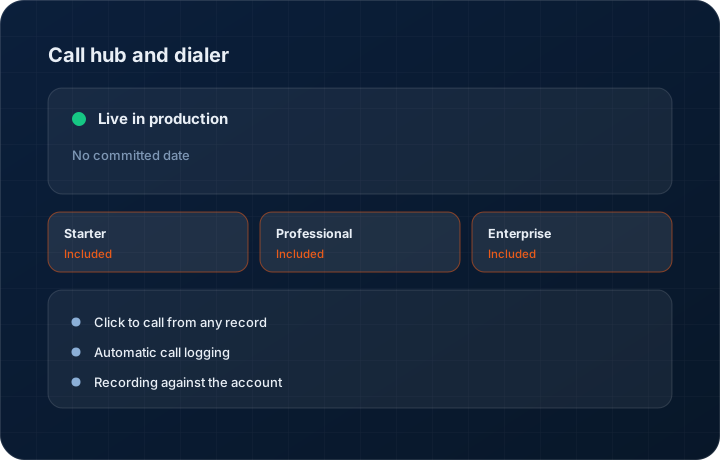
The KanchanFlow call hub dials from inside the customer, quote or order record and logs every call automatically against it, with recording where you have enabled it. Because the RFQ-to-Order CRM holds the call next to the quote it concerns, the follow-up history is complete without anyone doing post-call data entry.
What it is
The gap in every CRM is the call that happened but was never logged. Not because people are lazy, but because logging it is a second job after the conversation ended, and the next call is already ringing. The fix is to make the call itself the thing that creates the record.
Dial from inside a record and the call is logged with the contact, the duration, the outcome you pick from a short list, and the recording where enabled. Inbound calls from known numbers pop the customer record so the person answering already knows what is open with that account. Nobody has to ask a caller to hold while they find the file.
Capabilities
What it does
Click to call from any record
Dial from the customer, contact, quote or order. The call is associated with that record from the start rather than being reconciled afterwards.
Automatic call logging
Direction, duration, contact and timestamp are captured without typing. You add an outcome and a one-line note, which takes seconds rather than minutes.
Recording against the account
Where you have enabled recording and have consent, the recording is stored against the call on the customer record and is playable from there.
Inbound screen pop
A call from a known number opens the customer with their open quotes and outstanding balance, so whoever picks up is not asking who is calling.
Call history on the timeline
Calls, WhatsApp messages, emails and visits sit on one customer timeline in order. That timeline is what a handover between salespeople actually needs.
Step by step
How it works
The order these steps happen in matters more than the feature list above it.
- 1
Connect your telephony
Link your calling provider to the workspace and assign numbers to users. Recording is configured here, including whether it is on by default.
- 2
Dial from the record
Open the customer or quote and press call. The contact and the record context are attached to the call before it connects.
- 3
Talk
The call runs through your provider. Duration and direction are captured automatically; nothing about the conversation depends on remembering to press a button.
- 4
Pick an outcome
After the call, select an outcome — quote discussed, revision requested, callback scheduled — and add a note. That takes about ten seconds.
- 5
Find it later
The call, the note and the recording sit on the customer timeline next to the quote it concerned, which is where the next person will look.
What this is not
This is not a contact centre platform — there is no queue management, IVR design, skills-based routing or agent workforce management here.
This is not an ERP, MRP, CAD, BOM, or advanced CPQ system — it manages customer RFQs, quotes, follow-ups, and order handoff.
Tier availability
What you get on each plan
These rows come from the same feature matrix the pricing page publishes. If the two ever disagree, the matrix is wrong and we fix it.
| Plan | Availability |
|---|---|
| Starter | Included. Recording storage counts against the 10 GB workspace allowance. |
| Professional | Included. Recording storage counts against the 100 GB allowance. |
| Enterprise | Included. 500 GB or more storage, with call events captured in the immutable audit log. |
Starter is $39 per user per month, Professional $49, Enterprise $99 plus a $2,000 monthly platform fee. Annual billing is 17% lower. See the full matrix.
Interface
What it looks like
Customer timeline showing calls, WhatsApp messages and a site visit interleaved in date order.
Interface capture of the activity timeline. Contact details are sample data.
Call logging panel after a call, with duration captured automatically and the outcome list open.
Interface capture of the post-call logging step.
Screenshots are described rather than mocked up. Captures are taken from the build current at the date shown in the changelog, on a sample workspace.
Connectors
Integrations this feature uses
Starter includes one accounting connector and one lead source; Professional and Enterprise include all of them. Browse every integration.
Questions about call hub and dialer
You need a telephony provider to carry the calls. We connect to it, dial from the record and log the result; we are not the carrier.
Related features
WhatsApp Business Hub
WhatsApp Business Hub — inbox, flows, calls, templates, broadcasts
Read moreCustomer 360
Customer 360 with plants and stakeholder mapping
Read moreMobile app
Native iOS and Android app
Read moreWhat's shipping today
All 47 features grouped by status on one page, with the newest releases alongside.
Read moreSee a live quote draft built from a real RFQ
Fourteen days, no credit card, sample data pre-loaded. If it does not fit your shop, we will tell you in the first call.
- Delaware LLC
- SOC 2 Type II
- USA Data Centers (AWS)