WhatsApp Business Hub — inbox, flows, calls, templates, broadcasts
Buyers chase quotes on WhatsApp whether or not your CRM knows about it. This puts that conversation on the customer record, on the official API, with a shared inbox the whole desk can see.
In short
The KanchanFlow WhatsApp Business Hub runs your shop's WhatsApp on the official Business API as a shared inbox inside the RFQ-to-Order CRM. Every message, template, flow, broadcast and call attaches to the customer, quote or order it concerns, so a follow-up thread is not trapped on one salesperson's personal phone.
What it is
In manufacturing sales the real conversation moved to WhatsApp years ago. Drawings arrive there, revised quantities arrive there, and 'when can you ship' arrives there at nine at night. The problem is not the channel; it is that the channel lives on a personal handset and leaves the business when that person does.
We connect a WABA number to the workspace so messages land in a shared inbox and thread against the right customer. Templates cover the repeatable sends — quote issued, quote expiring, dispatch notification. Broadcasts handle price-list and shutdown announcements. Calls and their recordings sit on the same record as the messages.
Capabilities
What it does
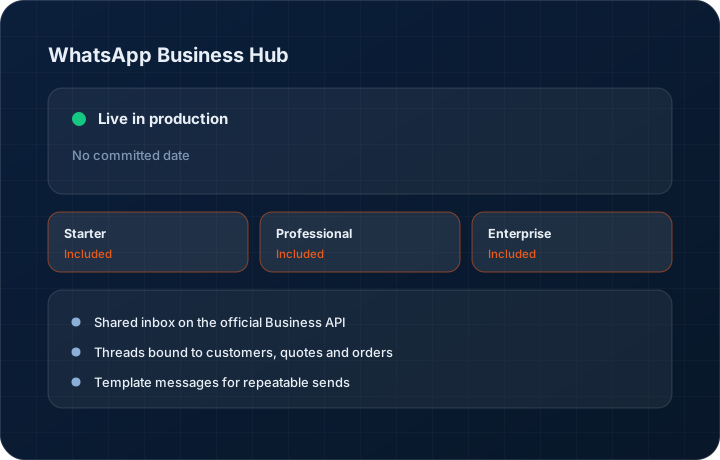
Shared inbox on the official Business API
Conversations belong to the company, not a phone. Assign a thread, hand it over during leave, and read the history when the customer references something from six months ago.
Threads bound to customers, quotes and orders
A message from a known number attaches to that customer record. Reply from inside a quote and the thread is linked to that quote, so context is not reconstructed from memory.
Template messages for repeatable sends
Approved templates for quote sent, quote expiring, order confirmed and dispatch notification. Templates are how you legitimately open a conversation outside the customer-initiated window.
Flows for structured replies
Send a short structured flow to collect a quantity, a delivery date preference or a drawing revision, and write the answer straight back onto the record rather than into prose you have to read.
Broadcasts to segmented lists
Send a price revision or a plant shutdown notice to a filtered customer or dealer list. Delivery and read counts come back against the broadcast.
Calls and recordings on the record
WhatsApp calls initiated from the hub are logged against the customer with duration, and recording where you have enabled it, alongside the message history.
Step by step
How it works
The order these steps happen in matters more than the feature list above it.
- 1
Connect a WABA number
Register a WhatsApp Business Account number to the workspace. Starter includes one number, Professional three, Enterprise unlimited, with add-on numbers available.
- 2
Get templates approved
Submit your quote, order and dispatch templates for approval. Approved templates are what let you start a conversation rather than only reply to one.
- 3
Route incoming messages
Messages from known numbers thread onto the customer. Unknown numbers land in the shared inbox for someone to claim and attach to a new or existing account.
- 4
Work the thread from the record
Send the quote share link, ask for the revised drawing, confirm a dispatch date. Everything sent is written to the customer timeline.
- 5
Broadcast when it is a list, not a conversation
Segment the customer or dealer list, pick an approved template, and send. Delivery, read and reply counts report back on the broadcast record.
What this is not
This is not a personal WhatsApp bridge — it runs on the official Business API with approved templates and message-window rules, not on a scraped consumer account.
This is not an ERP, MRP, CAD, BOM, or advanced CPQ system — it manages customer RFQs, quotes, follow-ups, and order handoff.
Tier availability
What you get on each plan
These rows come from the same feature matrix the pricing page publishes. If the two ever disagree, the matrix is wrong and we fix it.
| Plan | Availability |
|---|---|
| Starter | 1 WABA number, +2 available as an add-on. 500 messages a month included, overage at Meta cost plus 20 percent. |
| Professional | 3 WABA numbers, +7 available as an add-on. 5,000 messages a month included, overage at Meta cost plus 15 percent. |
| Enterprise | Unlimited WABA numbers. 25,000 messages a month included, overage at Meta cost plus 10 percent. |
Starter is $39 per user per month, Professional $49, Enterprise $99 plus a $2,000 monthly platform fee. Annual billing is 17% lower. See the full matrix.
Interface
What it looks like
Shared WhatsApp inbox with three assigned threads, each showing the linked customer and open quote.
Interface capture of the hub inbox. Contact names and numbers are sample data.
Broadcast composer with a segmented dealer list, an approved template and the delivery report from a previous send.
Interface capture of the broadcast screen.
Screenshots are described rather than mocked up. Captures are taken from the build current at the date shown in the changelog, on a sample workspace.
Connectors
Integrations this feature uses
Starter includes one accounting connector and one lead source; Professional and Enterprise include all of them. Browse every integration.
Questions about whatsapp business hub
Yes. You connect a registered WABA number and use approved templates. We do not bridge personal WhatsApp accounts, which would put your number at risk of being banned.
Related features
Call hub and dialer
Call hub, dialer and recording
Read moreIndiaMART lead capture
IndiaMART auto lead capture
Read moreQuote editor
Quote editor with attachments, share links, FX and revisions
Read moreWhat's shipping today
All 47 features grouped by status on one page, with the newest releases alongside.
Read moreSee a live quote draft built from a real RFQ
Fourteen days, no credit card, sample data pre-loaded. If it does not fit your shop, we will tell you in the first call.
- Delaware LLC
- SOC 2 Type II
- USA Data Centers (AWS)