Territory management, 7-level hierarchy
Country, region, state, zone, city, cluster, route. Seven levels because that is how a real distribution structure is actually shaped.
Development progress
30%
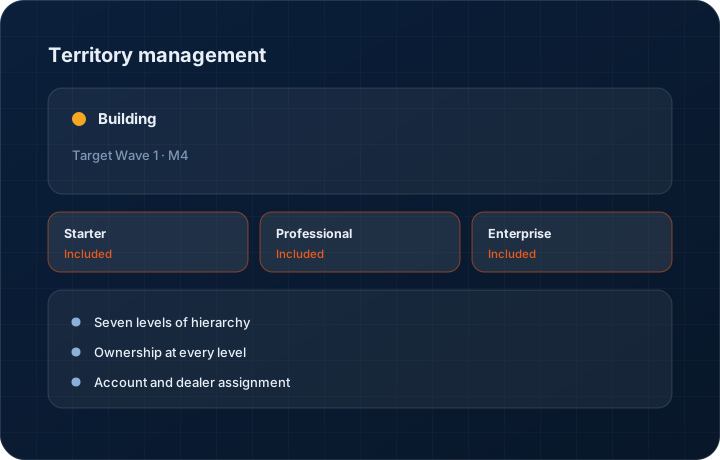
Target Wave 1 · M4. Progress figures move when the work does, and the changelog records the release.
In short
Territory management in KanchanFlow defines a sales geography up to seven levels deep, assigns accounts and owners at any level, and reports coverage and performance by node. It is roughly 30 percent complete, targeted at Wave 1 Milestone 4. Starter keeps a flat territory list; the hierarchy is a Professional and Enterprise capability.
What it is
A growing manufacturer's sales geography stops fitting in a flat list quickly. You have regions with managers, states with representatives, cities with dealers and routes for field calls, and each level needs an owner, a target and a coverage measure. Most shops keep this in a spreadsheet nobody updated after the last reorganisation.
The hierarchy holds up to seven levels so the structure in the system matches the structure on the ground. Accounts and dealers are assigned to nodes, ownership rolls up, and performance and coverage report at any level. When territories change — and they do — accounts move with a record of when and why.
Capabilities
What it does
Seven levels of hierarchy
Enough depth for country, region, state, zone, city, cluster and route without forcing a real structure into three levels and losing the shape of it.
Ownership at every level
A node has an owner, and ownership rolls up. A regional manager sees everything under them without being individually assigned to each account.
Account and dealer assignment
Direct accounts and channel partners both sit in the territory structure, so the coverage picture includes the channel rather than only direct business.
Coverage reporting by node
Which accounts in this territory have been visited, quoted or ordered from in the period, and which have been left alone. The untouched list is the useful half.
Reassignment with a history
When a territory changes, accounts move and the change is recorded. Historical performance stays attributable to whoever actually held the territory at the time.
Lead and enquiry routing by geography
New enquiries route to the owner of the territory the buyer sits in, so an IndiaMART or web enquiry from a city you cover reaches the person who already knows that market rather than a central queue.
Step by step
How it works
The order these steps happen in matters more than the feature list above it.
- 1
Design the hierarchy
Build the levels that match your business. Not every branch needs the same depth — a dense region may run to seven levels while another stops at three.
- 2
Assign owners
Give each node an owner. Ownership rolls up automatically so managers see their whole area without per-account assignment.
- 3
Place accounts and dealers
Assign direct accounts and channel partners to territory nodes, individually or in bulk by geography.
- 4
Work the territory
Visit plans, lead routing and quote ownership all follow the structure, so the geography and the workflow agree.
- 5
Report at any level
Coverage, quoting activity and order value report at any node, rolled up or drilled into.
What this is not
This is not territory optimisation — we hold the structure you design and report against it, we do not compute balanced territories or model quota fairness.
This is not an ERP, MRP, CAD, BOM, or advanced CPQ system — it manages customer RFQs, quotes, follow-ups, and order handoff.
Tier availability
What you get on each plan
These rows come from the same feature matrix the pricing page publishes. If the two ever disagree, the matrix is wrong and we fix it.
| Plan | Availability |
|---|---|
| Starter | Flat territory list only. |
| Professional | 7-level territory hierarchy with coverage and performance reporting. |
| Enterprise | 7-level hierarchy plus custom structures and multi-entity territory roll-up. |
Starter is $39 per user per month, Professional $49, Enterprise $99 plus a $2,000 monthly platform fee. Annual billing is 17% lower. See the full matrix.
Interface
What it looks like
Development build of a five-level territory tree with owners and account counts at each node.
Development build capture at approximately 30 percent complete.
Development build of coverage reporting for one region, showing accounts visited, quoted and untouched this quarter.
Development build capture, sample data.
Screenshots are described rather than mocked up. Captures are taken from the build current at the date shown in the changelog, on a sample workspace.
Questions about territory management
A flat territory list, which is what Starter has permanently. The seven-level hierarchy is about 30 percent built and targeted at Wave 1 Milestone 4.
Related features
Field visits
Field visits with GPS check-in and territory
Read moreDealer and territory exclusivity
Dealer and territory exclusivity with channel-conflict rules
Read moreCustomer 360
Customer 360 with plants and stakeholder mapping
Read moreChannel partner management
Channel partner management
Read moreWhat's shipping today
All 47 features grouped by status on one page, with the newest releases alongside.
Read moreSee a live quote draft built from a real RFQ
Fourteen days, no credit card, sample data pre-loaded. If it does not fit your shop, we will tell you in the first call.
- Delaware LLC
- SOC 2 Type II
- USA Data Centers (AWS)