US tax rates and SaaS jurisdictions
State, county and local rates applied by ship-to jurisdiction, with resale and manufacturing exemption certificates recorded against the customer.
In short
US tax rates in KanchanFlow apply state, county and local sales tax by ship-to jurisdiction on every invoice raised in the RFQ-to-Order CRM, including the states that treat software and services differently from goods. Exemption certificates sit on the customer record, so an exempt manufacturer is not taxed by accident.
What it is
American sales tax is not one rate. It is a state rate plus county and municipal rates that depend on where the goods are delivered, and a taxability question that depends on what you sold. A machined part, a repair service and a software subscription can all be treated differently in the same state.
We hold the jurisdiction rate tables and the SaaS taxability treatment, and apply them from the ship-to address on the document. Where the customer holds a resale or manufacturing exemption certificate, that certificate is on their record with an expiry date, and the invoice reflects it rather than relying on somebody remembering.
Capabilities
What it does
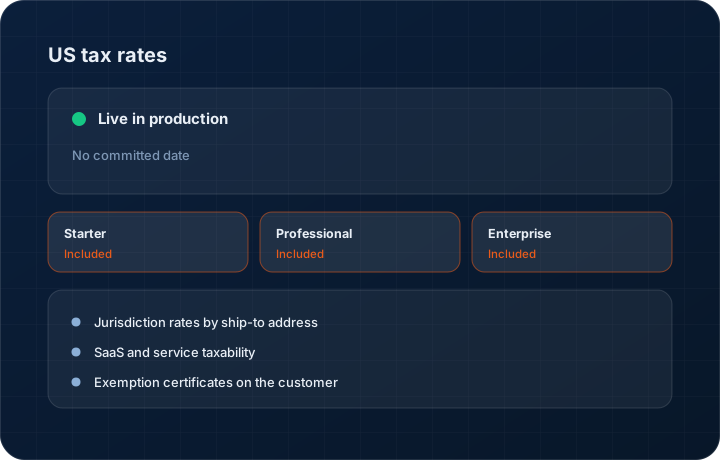
Jurisdiction rates by ship-to address
State, county and local components are resolved from the delivery address on the document, not from the customer's billing address, which is where most manual calculations go wrong.
SaaS and service taxability
Software subscriptions and services are treated according to the destination state's rules rather than being taxed like goods by default. The states that diverge are the states that generate the audit letters.
Exemption certificates on the customer
Record a resale or manufacturing exemption certificate with its number and expiry. Invoices to that customer apply the exemption, and an expired certificate flags rather than silently continuing.
Line-level tax treatment
A single invoice can carry a taxable line and an exempt line. Freight, tooling and services often differ from the parts they accompany, and the invoice shows each line's treatment.
Tax detail on the printed document
The invoice shows the jurisdiction breakdown rather than one lumped tax figure, which is what a customer's accounts payable team checks against their own system.
Step by step
How it works
The order these steps happen in matters more than the feature list above it.
- 1
Enter the ship-to address
The delivery address on the quote or order is the input to the tax calculation. Different ship-to addresses on the same customer are handled separately.
- 2
Resolve the jurisdiction
The address maps to a state, county and local jurisdiction set, and the applicable rates for each are pulled from the rate tables.
- 3
Apply the taxability rule
Each line is treated according to what it is — goods, service or software — in that destination state. Lines are not assumed to share a treatment.
- 4
Check for an exemption
If the customer holds a valid, unexpired resale or manufacturing exemption certificate, the exemption applies and the certificate reference is stored against the invoice.
- 5
Show the breakdown
The invoice prints the jurisdiction components and the total tax, so the customer's AP team can reconcile it without calling you.
What this is not
This is not a tax filing or nexus determination service — we calculate and present tax on the document, we do not decide where you have nexus or file your returns.
This is not an ERP, MRP, CAD, BOM, or advanced CPQ system — it manages customer RFQs, quotes, follow-ups, and order handoff.
Tier availability
What you get on each plan
These rows come from the same feature matrix the pricing page publishes. If the two ever disagree, the matrix is wrong and we fix it.
| Plan | Availability |
|---|---|
| Starter | Included on every tier. |
| Professional | Included on every tier. |
| Enterprise | Included, with the tax treatment captured in the immutable audit log. |
Starter is $39 per user per month, Professional $49, Enterprise $99 plus a $2,000 monthly platform fee. Annual billing is 17% lower. See the full matrix.
Interface
What it looks like
Invoice tax panel showing state, county and city components resolved from the ship-to address.
Interface capture of the US tax breakdown. Rates shown are sample data.
Customer record with a manufacturing exemption certificate, its number and its expiry date.
Interface capture of the exemption certificate panel.
Screenshots are described rather than mocked up. Captures are taken from the build current at the date shown in the changelog, on a sample workspace.
Connectors
Integrations this feature uses
Starter includes one accounting connector and one lead source; Professional and Enterprise include all of them. Browse every integration.
Questions about us tax rates
No. Nexus is a legal determination for you and your tax adviser. We apply rates and taxability to documents once you tell us where you are registered to collect.
Related features
Invoice editor
Invoice editor with credit and debit notes, aging and credit management
Read moreMulti-currency
Multi-currency quotes, invoices and forecasting
Read moreGST invoicing
GST invoicing with GSTIN, HSN, GSTR-1 and GSTR-3B
Read moreWhat's shipping today
All 47 features grouped by status on one page, with the newest releases alongside.
Read moreSee a live quote draft built from a real RFQ
Fourteen days, no credit card, sample data pre-loaded. If it does not fit your shop, we will tell you in the first call.
- Delaware LLC
- SOC 2 Type II
- USA Data Centers (AWS)